
Shopify’s built-in carrier rates aren’t the cheapest — and the gap compounds on every order you ship. Here’s how the top platforms really compare, at 2026 prices, with the surcharges that decide more than the base rates do.
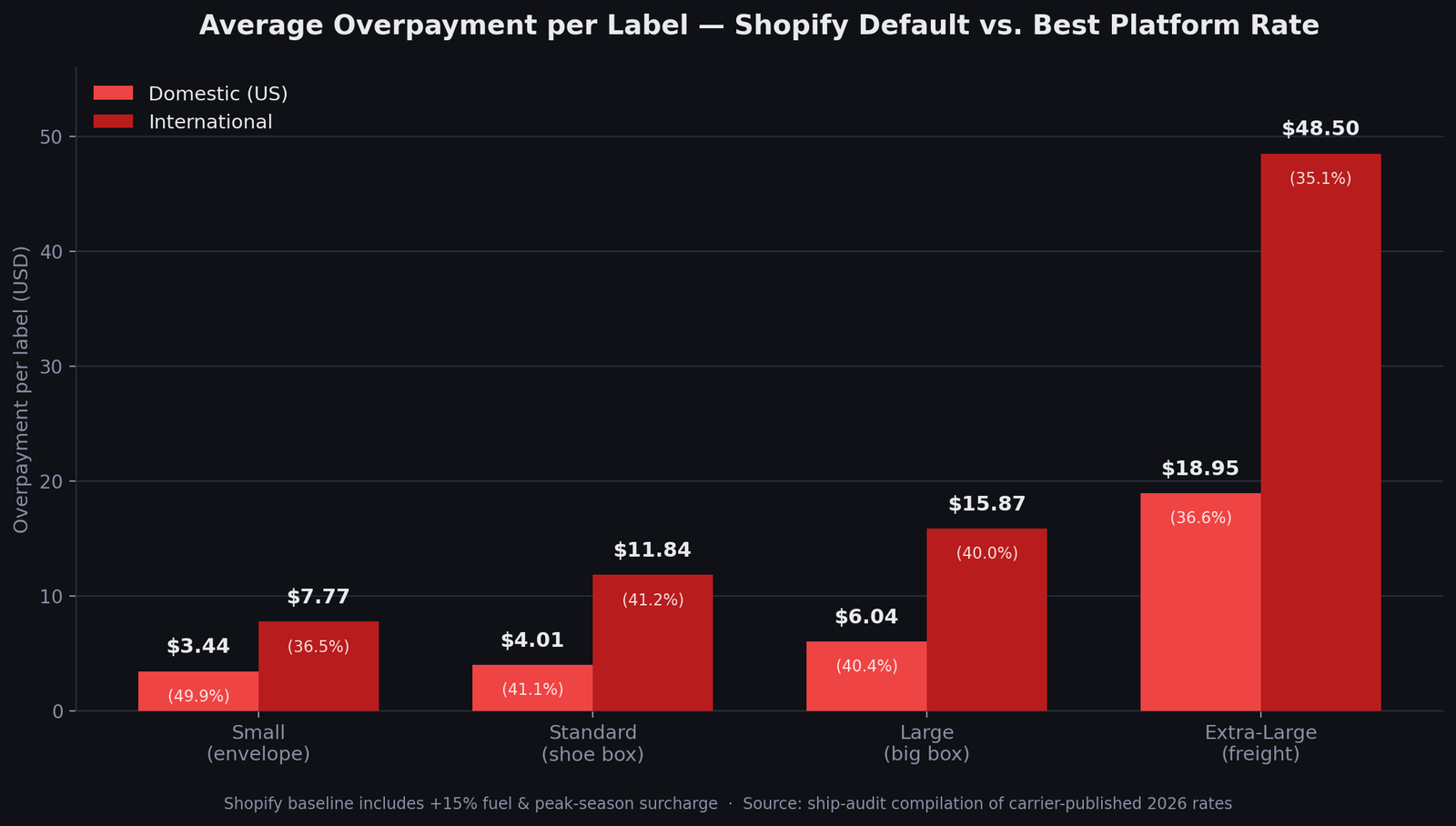
The cheapest way to ship on Shopify depends on where you ship from and your volume. US stores under 50 orders/month ship cheapest with Pirate Ship (free, USPS Commercial Pricing, and we earn nothing recommending it). 50–500 orders: Shippo, from $17/month. 500+ orders or multi-channel: ShipStation, which has no free plan and starts meaningfully at $29.99. Shipping from Europe: SendCloud. Cross-border above roughly a fifth of your orders: Easyship. The gap against Shopify’s default rates runs 35–50% per label — and 2026 has widened it, with USPS stacking three increases and all three carriers raising peak season fees on residential parcels by 22–25%.
| Platform | Best for | Entry cost | |
|---|---|---|---|
| Pirate Ship | US, under 50 orders/mo | Free, no cap | Try Pirate Ship → |
| Shippo | US, 50–500 orders/mo | Free to 30 labels · $17/mo | Try Shippo → |
| ShipStation | 500+ orders, multi-channel | No free plan · $29.99/mo realistic | Try ShipStation → |
| SendCloud | EU-based stores | Free plan · 160+ EU carriers | Try SendCloud → |
| Easyship | Cross-border-heavy stores | Free to 50 shipments · duty display at $69 | See the comparison |
Prices verified September 2026. All figures and carrier data on this site are compiled in our 2026 Shipping Rate Index, dated and free to cite. Full pricing ladders: ShipStation · Shippo · SendCloud.
Why You’re Overpaying on Every Shopify Order
Shopify’s default carrier rates look convenient — labels print in one click, and the price seems reasonable. But “reasonable” is exactly how overpayment hides. Default rates are retail-tier pricing: they don’t include the commercial discounts that shipping platforms negotiate at scale. The gap is small per label — a dollar here, three dollars there — which is why most merchants never audit it. Multiply by every order, every month, and it becomes one of the largest silent costs in the business.
Three mechanics drive the gap. First, dimensional weight: carriers bill on volume, not just actual weight, so a light bulky box is charged as if it were heavy. All three US carriers now use a divisor of 139 — though USPS still applies it only above one cubic foot, which is a structural advantage worth knowing. Second, surcharges: fuel runs 22–25% at UPS and FedEx and adjusts weekly, and peak season fees stack on top from late September to mid-January. Third, address fees: residential delivery costs $6.45 at FedEx and $6.50 at UPS per parcel, and nothing at all at USPS — a difference that flips the cheapest-carrier answer on most e-commerce orders. None of these are scams; they’re published pricing. The problem is that Shopify’s default setup doesn’t shop around them, and third-party platforms do.
“Shipping is one of those silent profit killers in ecommerce. CAC gets all the attention, but I’ve seen brands lose serious margin just because their shipping setup isn’t dialed in.”
— u/andrews_765, r/shopify_growth
How much does that actually cost you? We compiled the published 2026 rates of the major shipping platforms and compared them against Shopify’s default carrier pricing, package size by package size. The gap ranges from meaningful to brutal:
The good news: closing that gap doesn’t require negotiating with carriers yourself. Five platforms already did it — here’s who they’re each built for.
What Changed in 2026 — and Why the Gap Widened
This guide was first published in February. Four things have moved since, and all four push in the same direction.
- USPS stacked three increases. January’s annual rise (7.8% on Ground Advantage), a temporary 8% transportation surcharge from April 26 running to January 17, 2027, and a holiday adjustment averaging 6% filed for October 4. They apply simultaneously through the whole holiday window. The service-level breakdown.
- Dimensional weight tightened on July 12. USPS aligned its divisor with UPS and FedEx at 139, and every carrier now rounds fractional dimensions up to the next whole inch. The formula, the threshold and a free calculator.
- All three carriers raised peak season fees — and the increase landed on small residential parcels, not on freight: flat per-package fees rose 22–25% year over year while handling and oversize fees rose 6–10%. Every published figure.
- Duty-free shipping ended on both sides of the Atlantic. The US suspended its $800 de minimis in 2025; the EU abolished its €150 exemption on July 1, 2026, replacing it with a flat €3 per item charged to the seller. The export playbook.
Every one of those changes lands on top of whatever rate tier you’re buying at — which is why the retail-versus-commercial gap costs more this year than last.
Not sure which tier you’re in?
Run the free shipping audit — enter your volume, package size and destination, and see your exact overpayment plus the platform that fixes it. No signup needed to see your numbers.
Run Your Free Audit →The Platforms That Fix It — And Who Each One Is For
None of these is “the best” — each wins for a specific store profile. Find yours below, or run the calculator and let your own numbers decide.
Pirate Ship — free, and the best place to start
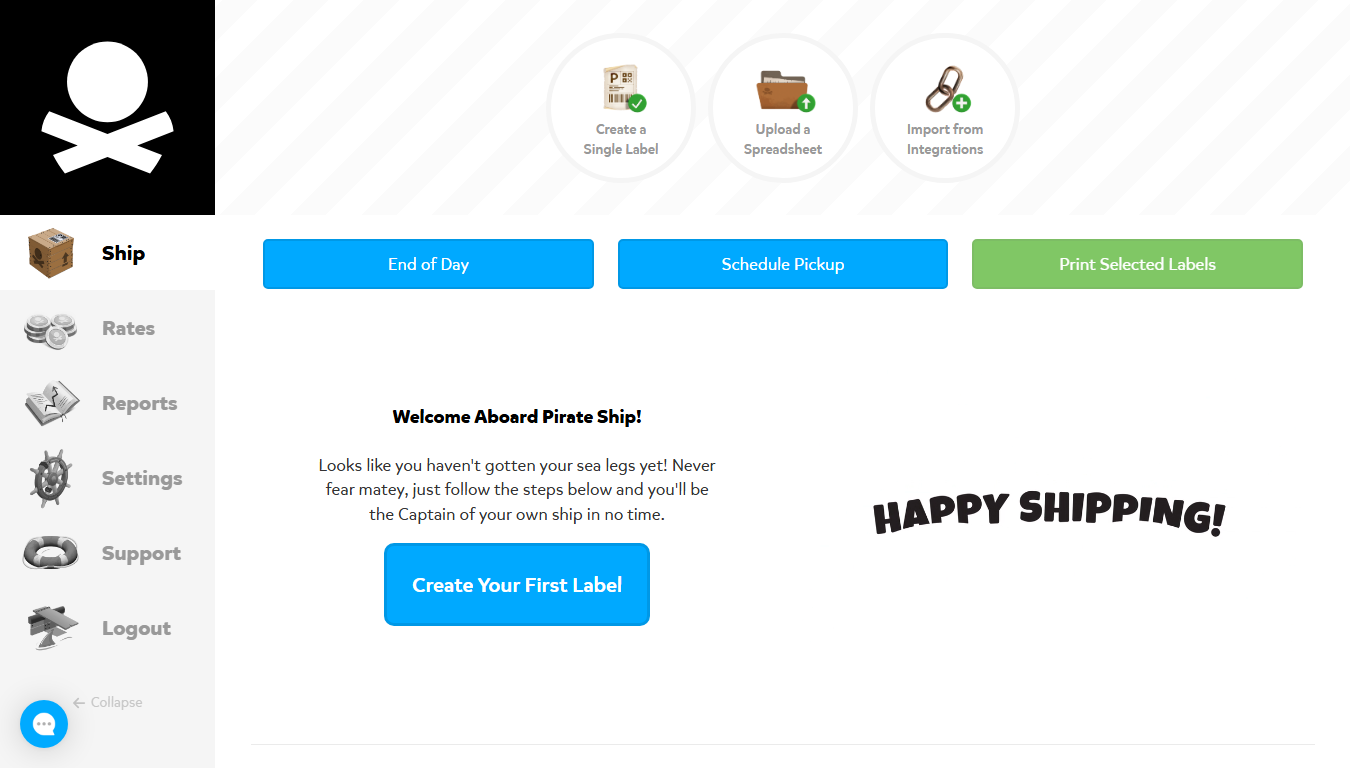
Pirate Ship gives any merchant USPS Commercial Pricing and pre-negotiated UPS discounts with no subscription, no monthly fee and no volume requirement. You pay the discounted postage — that’s the entire business model. It also surfaces USPS Cubic, which the Post Office and Click-N-Ship don’t sell at all.
Best for: US stores shipping fewer than 50 orders a month, domestic-first.
Cost: free — you pay discounted postage only.
Pros:
- Genuinely free — no plan, no label fees, no minimums, no cap
- USPS Commercial Pricing and UPS discounts from the first label
- Cubic pricing with automatic rate shopping, including a rounding exception worth real money on small dense parcels
Cons:
- USPS and UPS only — no FedEx, no DHL, no rate shopping beyond two networks
- No automation or multi-channel routing: every label is a manual decision
- Carrier billing adjustments pass straight through when measured dimensions differ from what you entered
We earn no commission from Pirate Ship — there’s no affiliate programme. We recommend it because it’s the right answer for small-volume US stores. Full assessment: our Pirate Ship review.
Shippo — the volume upgrade
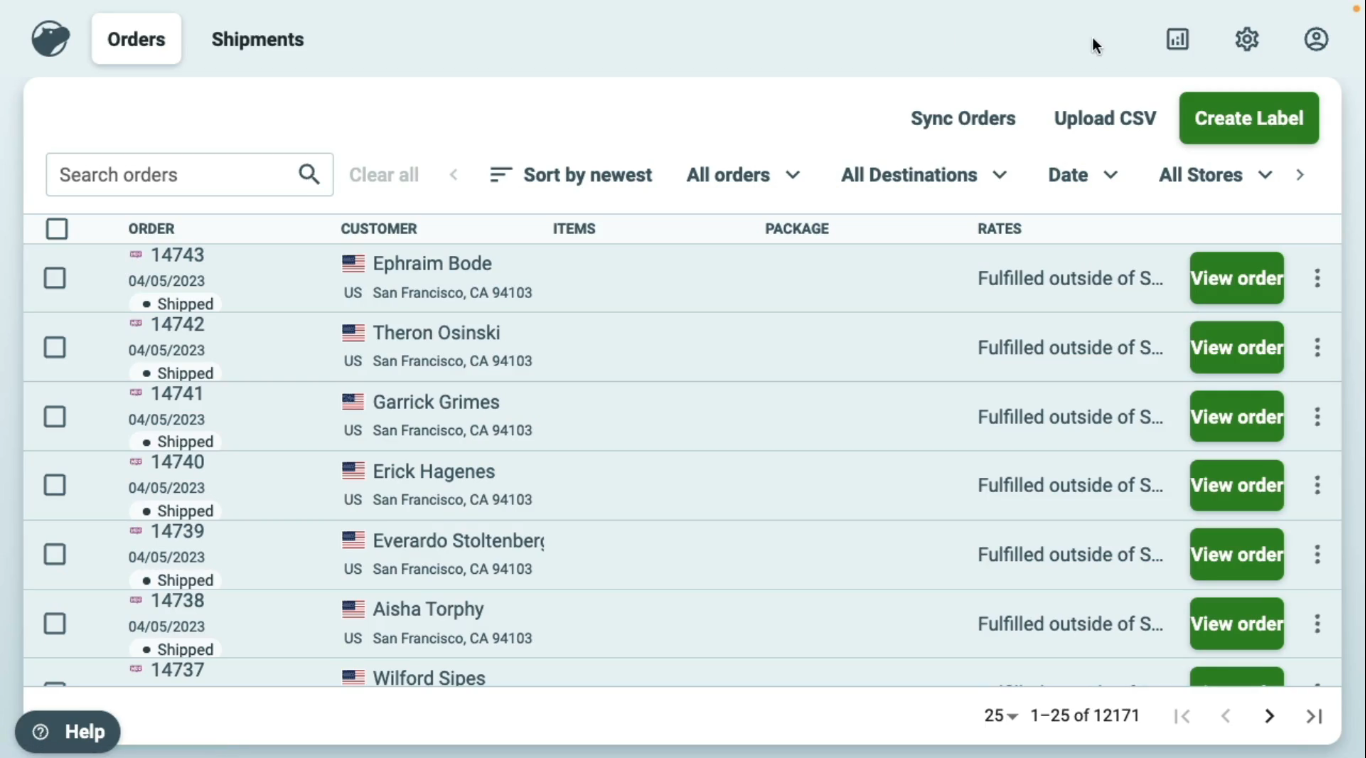
Shippo keeps the same deep USPS and UPS discounts and adds what growing stores need: batch printing, automation rules, and multi-carrier rate comparison per shipment. It’s the natural next step once manual shipping starts eating your week.
Best for: US stores shipping 50–500 orders a month.
Cost: free up to 30 labels/month, then $17 (≤200 labels), $29 (≤500), scaling to $199. Full tier ladder.
Pros:
- Cheapest paid entry in the category, and a permanent free tier to test on
- API access on every plan, free tier included
- Multi-carrier rate shopping with USPS Cubic surfaced automatically
Cons:
- Automation is functional rather than deep
- Carrier network is US-centric — thinner for EU-heavy stores
- A $0.05 per-label fee applies on the free plan if you connect your own carrier accounts
Full assessment: our Shippo review · head-to-head: ShipStation vs Shippo.
ShipStation — the high-volume workhorse
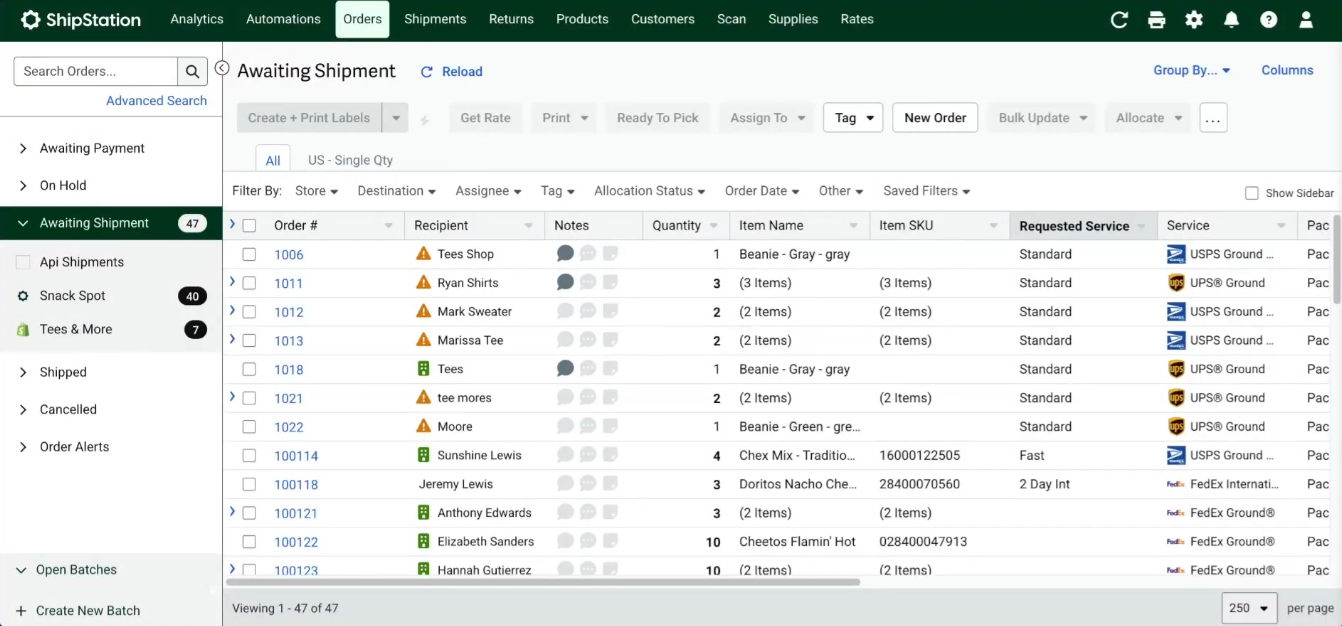
ShipStation is built for stores where shipping is an operation rather than a task: multi-store and multi-channel management, deep rule-based automation, a broad carrier network, and the reporting you need once every cent per label matters.
Best for: stores shipping 500+ orders a month, multi-channel sellers, and warehouse operations.
Cost: no permanent free plan — a 30-day trial, then $14.99 Starter, $29.99 Standard, $349.99 Premium, volume-stepped to $89.99 at 500 shipments. Full ladder.
Pros:
- True multi-channel consolidation: Shopify, Amazon, eBay, Etsy and Walmart in one queue
- The deepest automation of the group — rules, tags, batch workflows built for teams
- Handles freight and oversized profiles the lighter platforms don’t
Cons:
- No free plan, despite “Free plan available” appearing on its Shopify App Store listing
- Starter excludes API access and your own carrier accounts, and caps at 3 users — budget Standard from day one
- Overkill below ~500 orders a month: you’d pay for power you won’t switch on
Start your ShipStation 30-day trial →
Full assessment: our ShipStation review.
SendCloud — the European answer
If you ship from Europe, the US-centric platforms above aren’t your fight. SendCloud connects 160+ European carriers — national posts, DPD, DHL, GLS and locals — with checkout delivery options, a returns portal, and the EU-specific logistics the others treat as an afterthought.
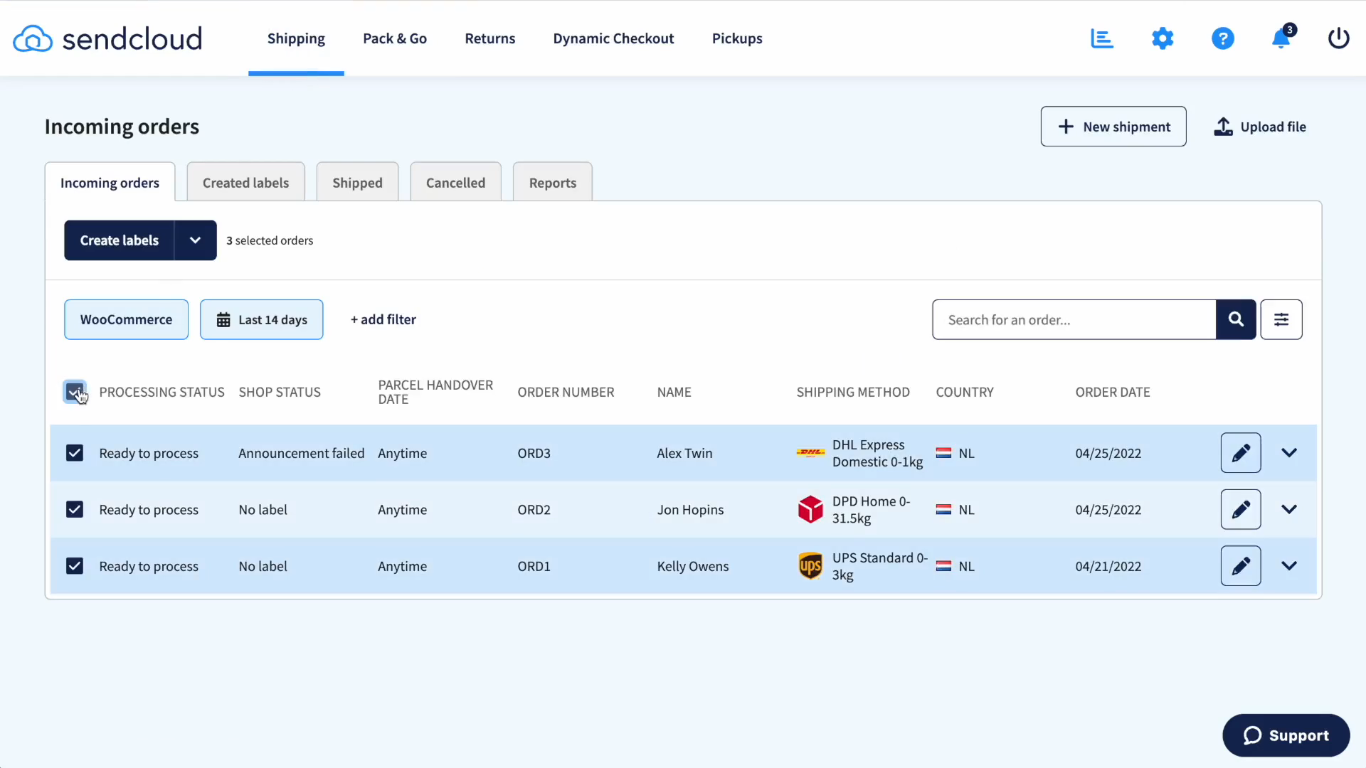
Best for: stores shipping from Europe (NL, BE, UK, FR, DE, AT, IT, ES).
Cost: a genuine free plan, then paid tiers by label allowance. How the plans are built.
Pros:
- 160+ European carriers, including the local ones US platforms ignore
- Returns portal and multi-language tracking built in — a real asset under EU consumer law
- Checkout integration with the pickup points and delivery options EU buyers expect
Cons:
- Not built for US-based stores — the carrier depth is European
- Automation rules start on paid tiers; on free you route manually
- Some member states charge national clearance fees that apply regardless of your plan
Full assessment: our SendCloud review · against ShipStation: the EU comparison.
Easyship — when cross-border is the business
Easyship inverts the premise: it’s an international logistics layer with a shipping platform attached, built around 550+ couriers, landed-cost display at checkout and automated customs documentation. For a store where most parcels stay domestic that’s complexity in the way; for one where a third of orders cross borders, it’s the product. The threshold that decides is roughly 20% international volume.
Cost: free up to 50 shipments a month, then $29 — but the duty-display feature that justifies choosing it sits on the $69 tier, not the $29 one.
We currently earn nothing from Easyship and it isn’t in our routing recommendations, so treat this as information rather than a recommendation. The full comparison is in Easyship vs Shippo, and the platform itself in our Easyship review.
Still hesitating between two profiles? The calculator settles it with your own numbers in under a minute.
How to Choose: Three Questions Settle It
Ignore feature lists — your platform choice comes down to where you ship from, how much international you do, then how much you ship.
Question 1 — Where do you ship from?
- Europe → SendCloud. Done — the US-centric platforms can’t match local EU carrier depth.
- United States → question 2.
Question 2 — What share of your orders leaves the country?
- Roughly a fifth or more → Easyship, where the customs machinery is the point.
- Less than that → question 3.
Question 3 — How much do you ship?
- Under 50 orders/month → Pirate Ship, free
- 50–500 orders/month → Shippo, from $17
- 500+ orders or multi-channel → ShipStation, from $29.99 realistically
That’s the whole decision. Everything else — dashboards, integrations, support — is secondary to matching geography, cross-border share and volume. Once you’ve picked, switching takes under 20 minutes and breaks nothing.
Frequently Asked Questions
Is Pirate Ship really free?
Yes — genuinely. No subscription, no per-label fee, no volume minimum: you pay only the discounted postage (Pirate Ship’s own pricing page). It earns its margin through carrier partnerships, not from you. That’s why it’s our default recommendation for small-volume US stores — and why we recommend it despite earning no commission.
Does ShipStation have a free plan?
No. Its Shopify App Store listing shows “Free plan available”, but what exists is a 30-day trial with no card required, followed by a paid tier from $14.99. Note too that Starter excludes API access and your own carrier accounts, so $29.99 Standard is the honest entry price for most stores. Full breakdown: what ShipStation actually costs.
What’s the cheapest way to ship internationally from Shopify?
It depends on how much international you do. Below roughly a fifth of your orders, a US-first platform handles the occasional export fine — Shippo generates customs forms and quotes international carriers. Above that, Easyship’s customs machinery — landed-cost display at checkout, automated duty calculation, DDP flows — stops being optional, because refused parcels and support tickets cost more than the subscription. The full export picture, including the end of duty-free thresholds, is in our 2026 international guide.
How much can I save vs Shopify’s default carrier rates?
Typically 35–50% per label, with most store profiles around 40%, based on our compilation of carrier-published 2026 rates. In dollar terms that ranges from about $3.40 per label on small domestic packages to over $48 on international freight — and it compounds monthly with your volume. Run your own numbers through the calculator for a store-specific figure.
Do I need to switch platforms, or can I keep Shopify Shipping?
You can keep it — but you’ll keep paying its retail-tier rates, and Shopify’s own discount scales with your plan, reaching its best tier only on the $399/month Advanced plan. A platform connects alongside your store and only changes where you buy the label; checkout, orders and customer emails stay exactly as they are. It takes under 20 minutes and reverses with one click. See our honest assessment of Shopify Shipping and the head-to-head against all four alternatives.
Which is cheaper for a small store, Pirate Ship or Shippo?
Under 50 orders a month, Pirate Ship — free, with the same USPS Commercial Pricing, and we earn nothing recommending it. Shippo becomes worth its $17 tier once volume makes batch automation and multi-carrier rate shopping save more time than they cost. Direct comparison: Shippo vs Pirate Ship.
Go Deeper
- Free Shipping Audit Calculator
- Shopify Shipping vs Shippo, ShipStation, Pirate Ship & SendCloud
- The 2026 Shipping Rate Index: every verified carrier figure, free to cite
- Peak Season Surcharges 2026–27: all three carriers confirmed
- Dimensional weight: the 139 divisor and the threshold that beats UPS and FedEx
- The Ship-Audit Library: every guide, review and comparison